
A Hanging Neck Fan can make a warm commute or a stuffy workshop more comfortable, but the right choice depends on more than airflow. Fit matters. So does weight. A fan that presses against your collar or pulls your hair can become irritating before its battery runs low. Product engineer Maya Chen puts it simply: “The best fan is the one you can wear comfortably, not just the one with the strongest breeze.” That is a useful test, though every neck and routine is different.
This guide’s seven tips focus on details you can check before buying: adjustable fit, airflow direction, battery life, noise, weight, controls, and cleaning. Picture wearing one while carrying groceries, answering a call, or walking beneath the midday sun. Does it stay steady when you turn your head? Can you reach the buttons without looking? Small things matter. We’ll also consider build quality and practical safety features, while avoiding promises a fan cannot keep. It won’t cool an entire room or replace sensible breaks in extreme heat. Some trade-offs are easy to miss in product photos. A little skepticism helps. By comparing real-use comfort with specifications, you can choose a Hanging Neck Fan that suits your day—not just the sales listing.
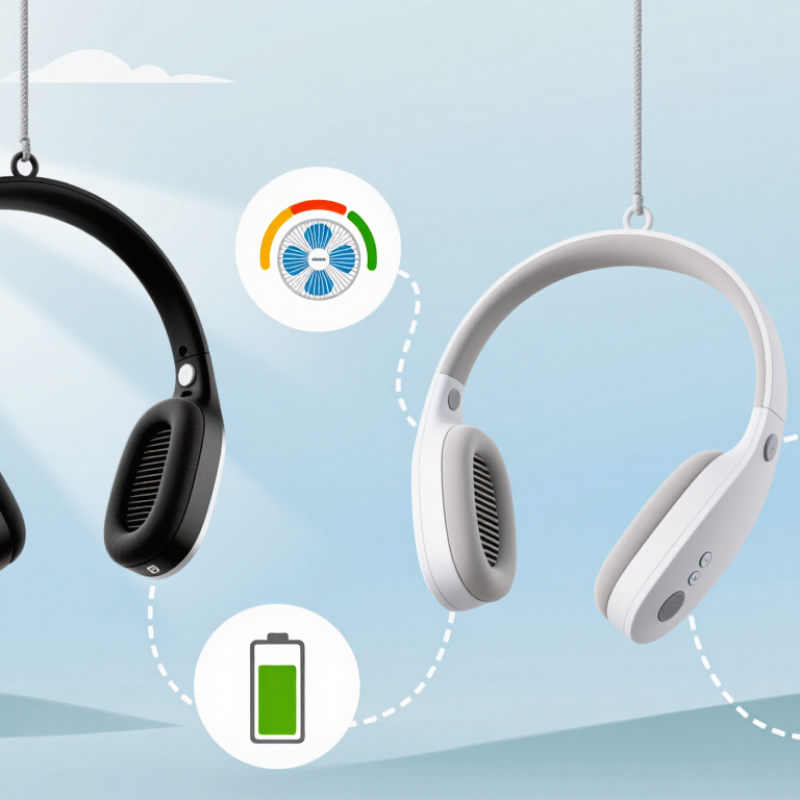
A hanging neck fan moves air from small vents near your neck and directs it toward your face. Most models use compact electric motors powered by a rechargeable battery. Some have exposed-looking fan blades inside protective housings; others draw air through inlets and channels. The design affects where the breeze reaches and how evenly it spreads. Check the vent positions against your cheeks and jaw, not just the product photos. Airflow can feel different when you walk or turn your head. That matters.
A neck fan does not cool the air like an air conditioner. It helps sweat evaporate, which can make warm skin feel cooler; in humid weather, that effect may be weaker. Keep vents clear of hair, fabric, and dust, since blocked airflow can reduce performance. Notice whether the controls are easy to reach without twisting the unit. Battery life also depends on the speed setting, so a high setting may not last as long as expected. I used to think louder airflow meant stronger cooling. Not always. Noise, airflow direction, and fit all shape comfort, and one may matter more than the others during a long walk.
A hanging neck fan should rest evenly on your shoulders, not press hard against your throat or collarbones. Its weight matters more after twenty minutes than during a quick store test. Look for adjustable arms or a flexible frame that follows your neck without pinching. Soft contact points can help, especially over bare skin. Too much pressure gets annoying. Try the fan while wearing the shirt you expect to use most; collars and straps can change how it sits. Small adjustments matter.
During a short trial, walk, turn your head, and look down as you might while reading a phone. The fan should stay in place without needing constant repositioning. A secure fit should not feel tight or restrict normal movement. Check whether the controls are easy to reach and whether hair or glasses catch on the frame. If possible, wear it for several minutes before deciding. A fit that feels fine at first may become uncomfortable with warmth or movement. I would not assume that a lighter design always feels better; balance and contact points can matter just as much. Some neck shapes may simply suit a particular frame less well.
A neck fan’s airflow should feel steady, not merely strong in a product description. Compare its settings in a warm room, then turn your head and walk at a normal pace. Does the breeze still reach your cheeks? Low settings may suit quiet reading, while higher airflow can help during a stuffy commute. The strongest mode is not always the most comfortable. A sharp stream near the jaw can feel distracting after a few minutes.
Battery life depends on the setting you use, so check runtime figures for more than one airflow level. A fan rated for many hours on low may last far less on high. Numbers can mislead. If possible, test the fan for a full outing, starting with a charged battery and noting when you change settings. I still find this easy to misjudge: brief testing at home does not mimic a crowded, warm walk.
Consider how you actually carry and charge it, too. A long commute may call for dependable low-speed operation, while a short outdoor errand might justify stronger airflow. Check whether the fan gives a clear low-battery warning, and whether its controls are easy to reach without looking. Small details matter. If airflow feels uneven or battery life falls short in your usual routine, treat that as useful evidence—not a problem to explain away.
| Tip | What to Compare | Useful Check | Why It Matters |
|---|---|---|---|
| 1. Compare airflow levels | Number of settings and, where available, airflow measured in cubic feet per minute (CFM). | Look for clearly described low, medium, and high modes. Compare airflow figures only when products use the same measurement method. | More settings offer more control, but the number of modes alone does not show how much air the fan moves. |
| 2. Check runtime at each speed | Advertised operating time on low, medium, and high—not just the longest runtime listed. | As a personal screening target, consider whether low mode can cover your expected outing and whether high mode lasts long enough for short periods of stronger airflow. | Higher fan speeds generally use more power, so maximum runtime usually applies to a lower setting and may not reflect everyday use. |
| 3. Treat battery capacity as one clue | Battery capacity in milliamp-hours (mAh), alongside runtime claims and the battery’s voltage when provided. | Do not compare mAh figures alone: capacity in watt-hours (Wh) accounts for voltage, and actual runtime also depends on fan speed and device efficiency. | A larger mAh number does not automatically mean longer runtime when battery voltages or power consumption differ. |
| 4. Check charging details | Charging connector, stated charging time, and whether the charging cable is included. | Confirm the connector and charging requirements in the product specifications; allow for the possibility that real charging time varies with the power source. | Convenient charging makes it easier to recharge between uses, while clear charging information helps avoid compatibility surprises. |
| 5. Consider weight and fit | Total weight, neck-contact design, adjustability, and how securely the fan sits while walking. | Check the listed weight and, if possible, try the fit for several minutes with the fan switched on. | Comfort and stability affect whether a fan is practical to wear for a long time. |
| 6. Compare noise and airflow direction | Noise information, vent placement, and whether airflow reaches the areas where you want cooling. | If a noise rating is provided, compare ratings taken under similar conditions. Reviews or an in-person test can help assess sound and airflow direction. | Noise and vent layout can matter as much as maximum airflow in quiet settings or during daily wear. |
| 7. Verify claims and safety information | How runtime was tested, warranty terms, battery-care instructions, and applicable safety information. | Prefer specifications that explain the test setting and conditions. Follow the supplied charging and battery instructions. | Runtime figures depend on test conditions; transparent details make product comparisons more meaningful. |
Note: Runtime and airflow vary by design, setting, battery condition, and testing method. Treat stated figures as estimates and compare products using like-for-like specifications.
Noise is easy to overlook in a store. Test the fan on every speed, close to your ears, and listen for rattles or a high electrical whine. NIOSH’s 1998 occupational noise criteria set 85 dBA over eight hours, with allowed exposure time halving for each 3 dB increase. That is a workplace limit, not a comfort target for a neck fan. The WHO’s Guidelines for Community Noise recommend indoor bedroom noise below 30 dBA at night for good-quality sleep. This is not a perfect comparison, but it shows why a loud fan may feel tiring in a quiet room.
Check that air inlets are guarded and that the device sits securely without pressing hard on your neck. Stop using it if the battery area becomes unusually hot or the casing is damaged. Small detail. Read the care instructions before buying: removable grilles or smooth surfaces are easier to wipe than narrow vents that trap lint and hair. Switch the fan off and disconnect charging power before cleaning. Never assume a damp cloth is safe around every model; follow its specific guidance.
A sound-meter app can help compare settings, though phone microphones are not calibrated instruments. Try a short wear test at home, then check for pressure marks and dust buildup. A quieter setting may be more comfortable, but airflow can drop. That trade-off deserves a real test, not just a shelf-side guess.
Material choice affects comfort long before battery life becomes relevant. Look for a soft, skin-friendly contact area, especially if you plan to wear the fan over bare skin. Smooth silicone or padded fabric may feel gentler than hard plastic, but fabric can absorb sweat and require more careful cleaning. Check that the air outlets stay clear of hair and clothing. Small details count. Inspect hinges, adjustment joints, and strap connections. These parts move often, so loose seams or thin plastic may become annoying within a season. A sturdy feel helps, though extra weight can strain your neck on a long walk. Trade-offs are real.
Durability is not proven by a heavy shell alone. Read the care instructions and warranty terms, and check for removable parts that make cleaning easier. Reviews are most useful when they describe months of use, sweat exposure, and whether the fan still holds its angle. Price should reflect the build, not just the number of speed settings. A modestly priced model may suit occasional errands; daily outdoor use may justify stronger joints and easier cleaning. Still, expensive does not always mean comfortable. Compare material quality, repair options, noise, and charging needs before deciding.